
Want a nickname of your choice to show up when you drop a comment, instead of the generic “user_123456789”? You can update your Nickname on the Members Area in just a few clicks — no need to contact support.
- Log in to your ASGmax account.
- Click the small “person” icon in the top-right corner.
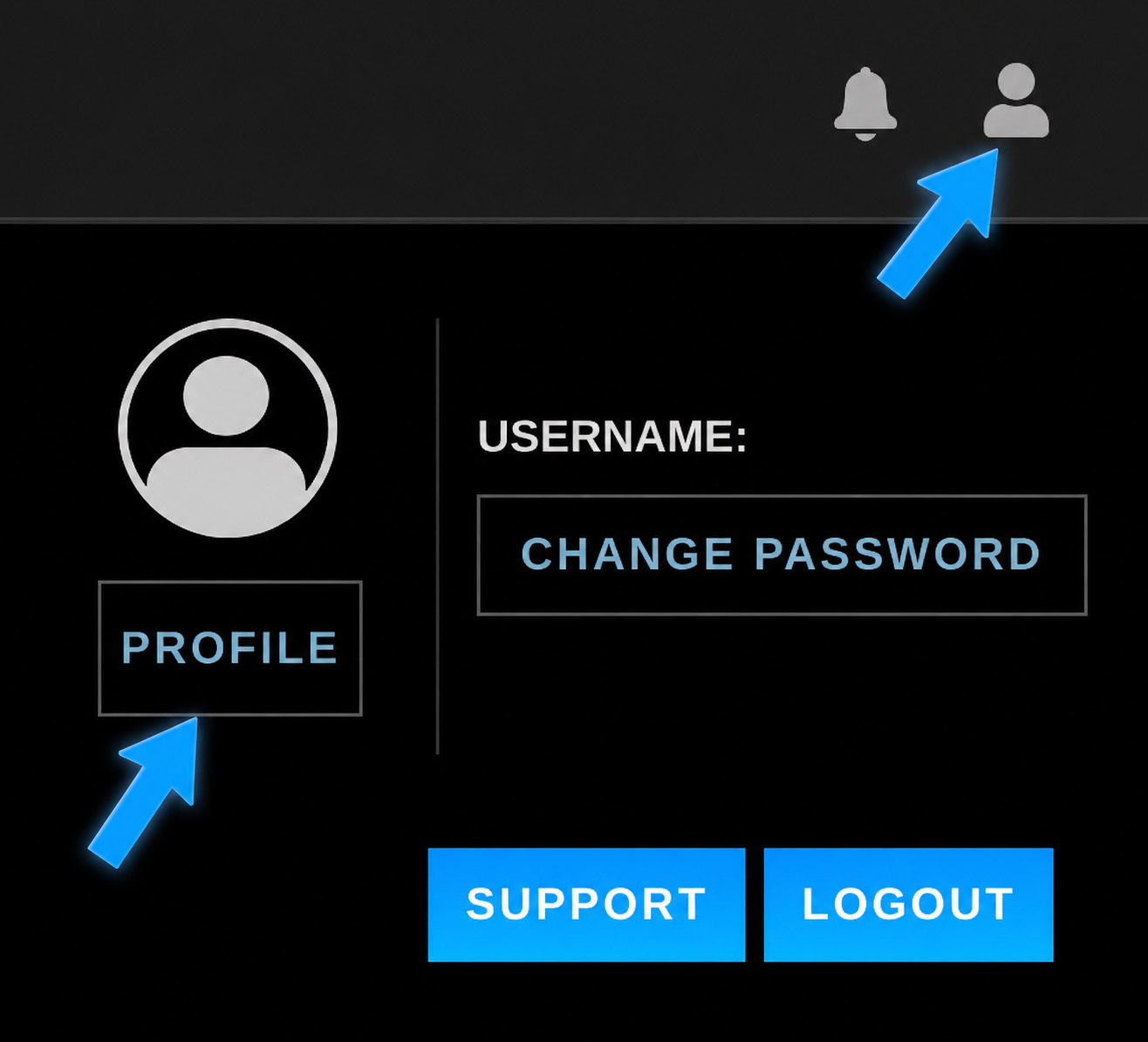
- Select Profile.
- Enter your new nickname in the field, then click Save New Nickname.
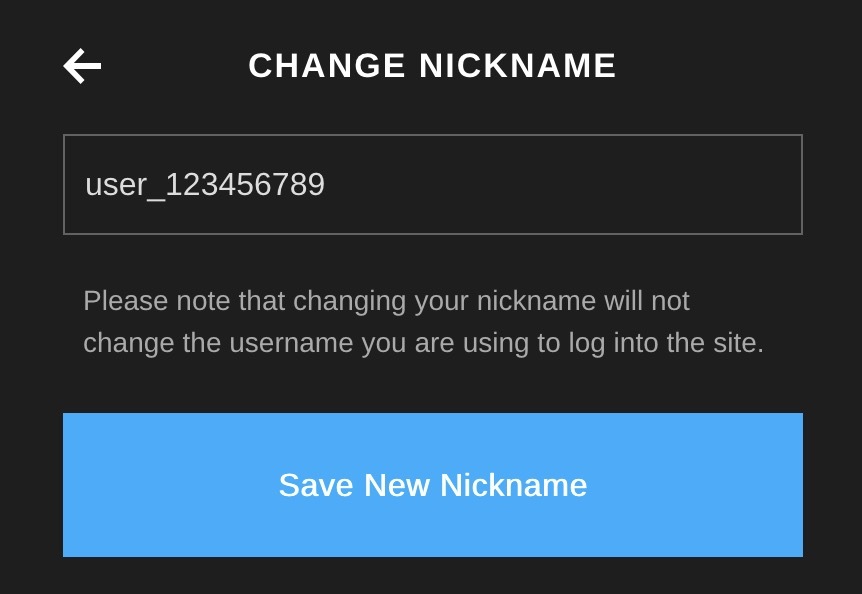
That’s it — your new nickname will appear the next time you post in the comments section.
One clarification: this updates your Nickname, not your username. Your username is what you use to log in, and it won’t change. Your Nickname is just the display name other members see when you comment within the Members Area.
This applies across all ASGmax memberships — since it’s tied to your account, updating it once covers every sub-brand you have access to.